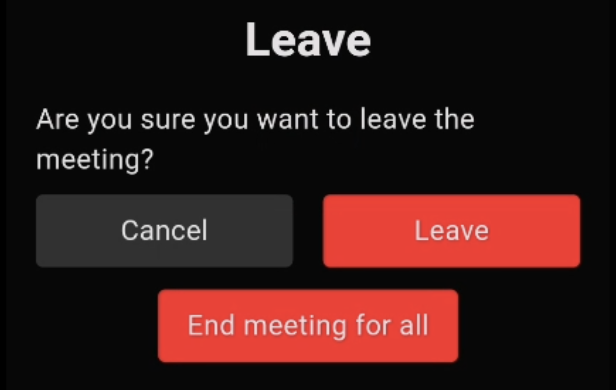
DyteLeaveMeetingDialog
A dialog widget designed for confirming the action of leaving a Dyte meeting. This widget is part of the Dyte UI Kit and is intended to provide a clear and concise user interface for confirming the exit process from a meeting environment.
Usage
Here is how you can use the DyteLeaveMeetingDialog in your Flutter application:
DyteLeaveMeetingDialog(
  dyteMobileClient: yourDyteMobileClientInstance,
)
Properties
dyteMobileClient: (Required) An instance ofDyteMobileClientused to perform actions like leaving the meeting room or ending the meeting for all participants.designToken: (Optional) An instance ofDyteDesignTokensfor customizing the appearance according to the Dyte Design System. If not specified, the widget will default to the global design tokens.
Design Token
The DyteLeaveMeetingDialog utilizes DyteDesignTokens for theming:
borderRadius: The border radius of the dialog box, which defaults to a value defined in the design tokens.fillColor: The background color of the dialog, typically set to provide a neutral or alerting backdrop for the content.textColor: The color of the text within the dialog, ensuring it is readable against thefillColor.
Features
- Confirmation Prompt: Provides a clear prompt asking the user if they are sure they want to leave the meeting.
- Action Buttons: Includes "Cancel" and "Leave" buttons, allowing the user to either cancel the action or confirm their intent to leave the meeting.
- Host Controls: If the user has host permissions, an additional button "End meeting for all" is displayed, providing the option to end the meeting for all participants.
Screenshot